Send payment reminders
CreditHold asks Shopify to send its Payment reminder email for your orders on payment terms. The email comes from your store, and you edit its text in Shopify's notification settings. CreditHold never emails your buyers itself.
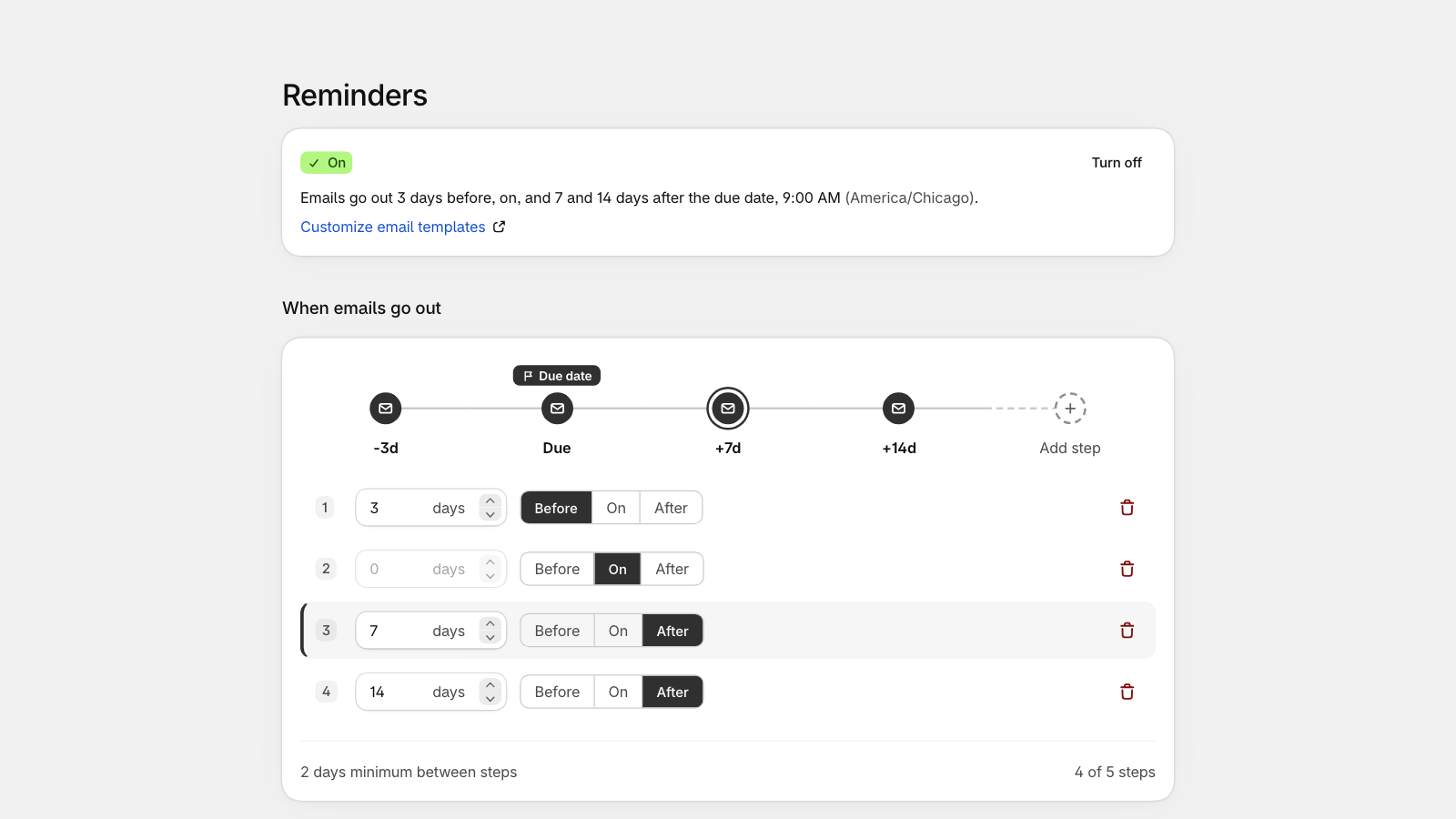
- Open Reminders and select Turn on.
- Choose when emails go out, counted from each order's due date: by default 3 days before, on the due date, and 7 and 14 days after. You can have up to 5 steps.
- Choose who gets them: all companies on payment terms, or protected companies only. To stop reminders for one company, open it and turn them off there.
Reminders stop once the order is paid.
If Shopify's own automatic payment reminders are on too, buyers get two emails. Turn one of them off.
The Last 7 days card shows the reminders sent, failed and skipped. To send one reminder now, open the order in Shopify and select More actions, Send payment reminder.
Still stuck? Email support.credithold@takisoft.net. We reply within one business day.