What buyers see at checkout
When a protected company is blocked, its buyers can't place the order on payment terms. Checkout shows a message under the payment step, and the buyer can still edit the cart.
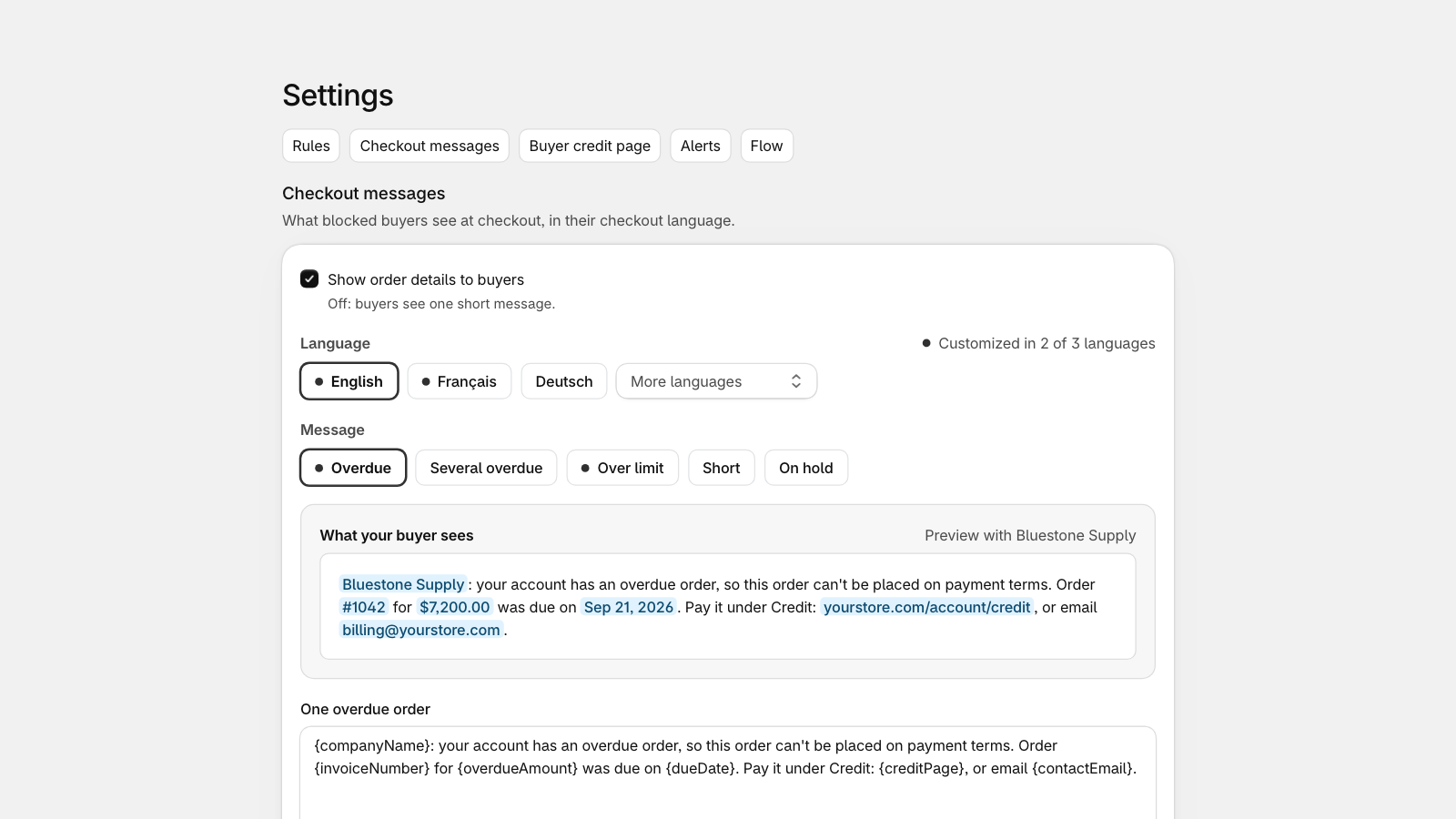
When Show order details to buyers is on (Settings, Checkout messages), the message names the overdue order, the amount, the due date, where to pay and your contact email. When it's off, buyers see one short message.
Change the message
In Settings, Checkout messages, choose the language and the message to edit: one overdue order, several overdue orders, over the limit, the short message or the manual block message. Insert fields such as the order number or the amount, and check the preview: it shows the message as your buyer reads it.
Buyers see the message in their checkout language: your own text in the languages you customize, CreditHold's built-in text in the others.
Pay overdue orders
The message sends buyers to the Credit page in their customer account. It lists their overdue orders, with a button to pay each one through Shopify, and their orders due soon. If you choose, it also shows their credit limit and credit available. You can add your own payment instructions, such as bank transfer details.
The Credit page needs new customer accounts. Add it to your customer account menu from Settings, Buyer credit page.
Once the order is marked paid in Shopify, the company is unblocked within a few minutes and the buyer can check out again.
To see exactly what a company's buyers see, at checkout and on the Credit page, open the company and select Preview as buyer under More actions.
Orders outside checkout
Draft orders your staff complete in the admin show the check as a warning that staff can override; a draft order sent to a blocked buyer can't be paid on payment terms until you allow one order. POS orders and orders from other apps don't go through checkout: if one is placed while a company is blocked, CreditHold tags it credithold:breach and lists it on Home. CreditHold never cancels orders.
Still stuck? Email support.credithold@takisoft.net. We reply within one business day.